

Subscription billing rarely stays simple for long. What begins as a straightforward monthly invoice gradually expands to include pricing tiers, mid-term upgrades, fluctuating usage, and contract renewals that rarely align neatly. As subscription businesses scale, these changes introduce operational complexity that traditional billing processes struggle to manage. SuiteBilling is NetSuite’s response to that subscription complexity. Instead of recreating invoices each period, SuiteBilling introduces a structured subscription lifecycle where billing behavior is defined at the subscription level and executed through configured system rules. Contracts evolve, but execution remains anchored in system logic rather than repeated manual intervention. With the latest NetSuite 2026.1 release, SuiteBilling continues to expand its flexibility across pricing models, usage management, and subscription oversight.
Activating the Subscription Framework
Once SuiteBilling has been confirmed in your Bill of Materials, a user can enable it through:
Setup → Company → Enable Features → Transactions → Billing
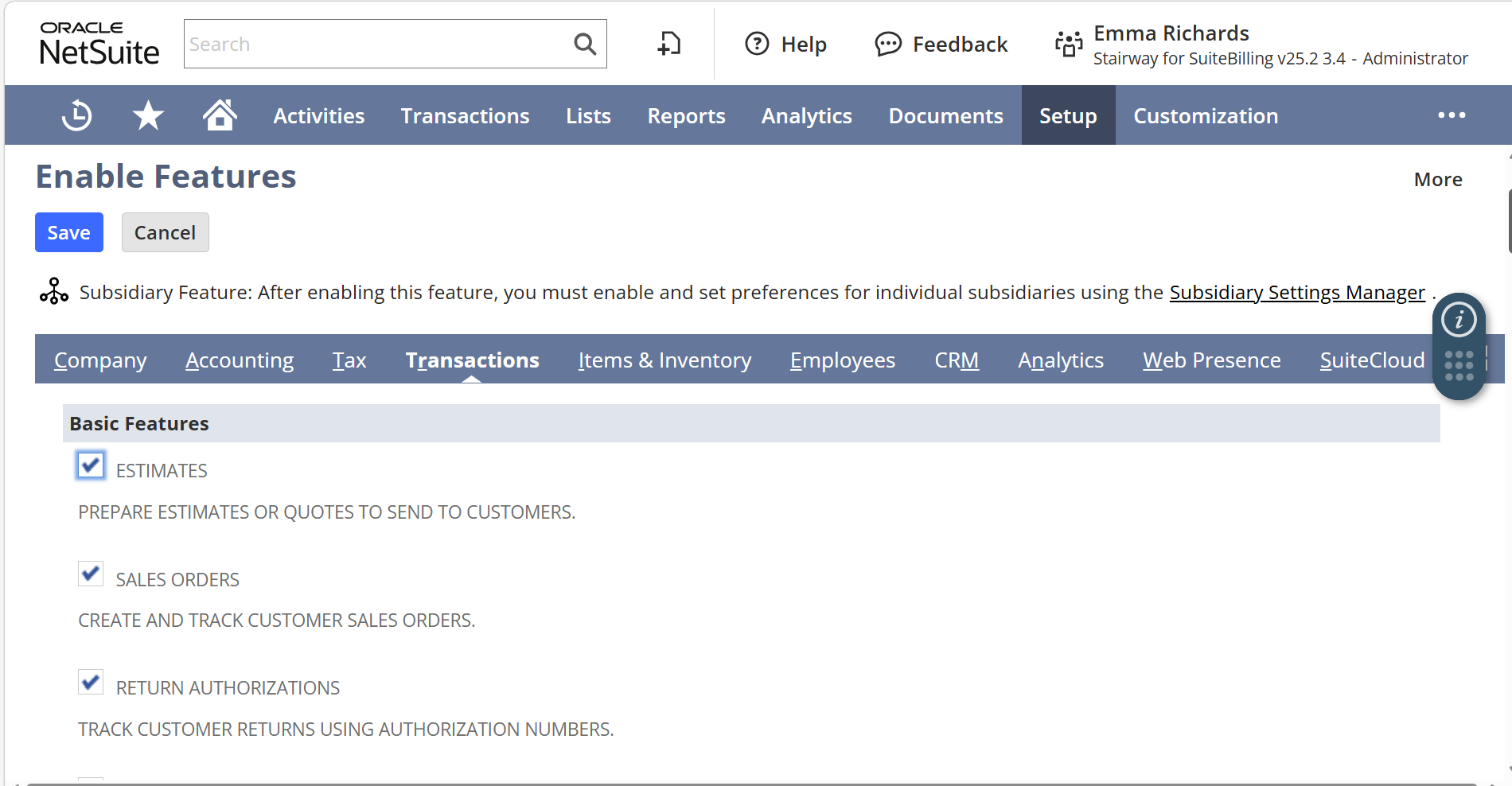
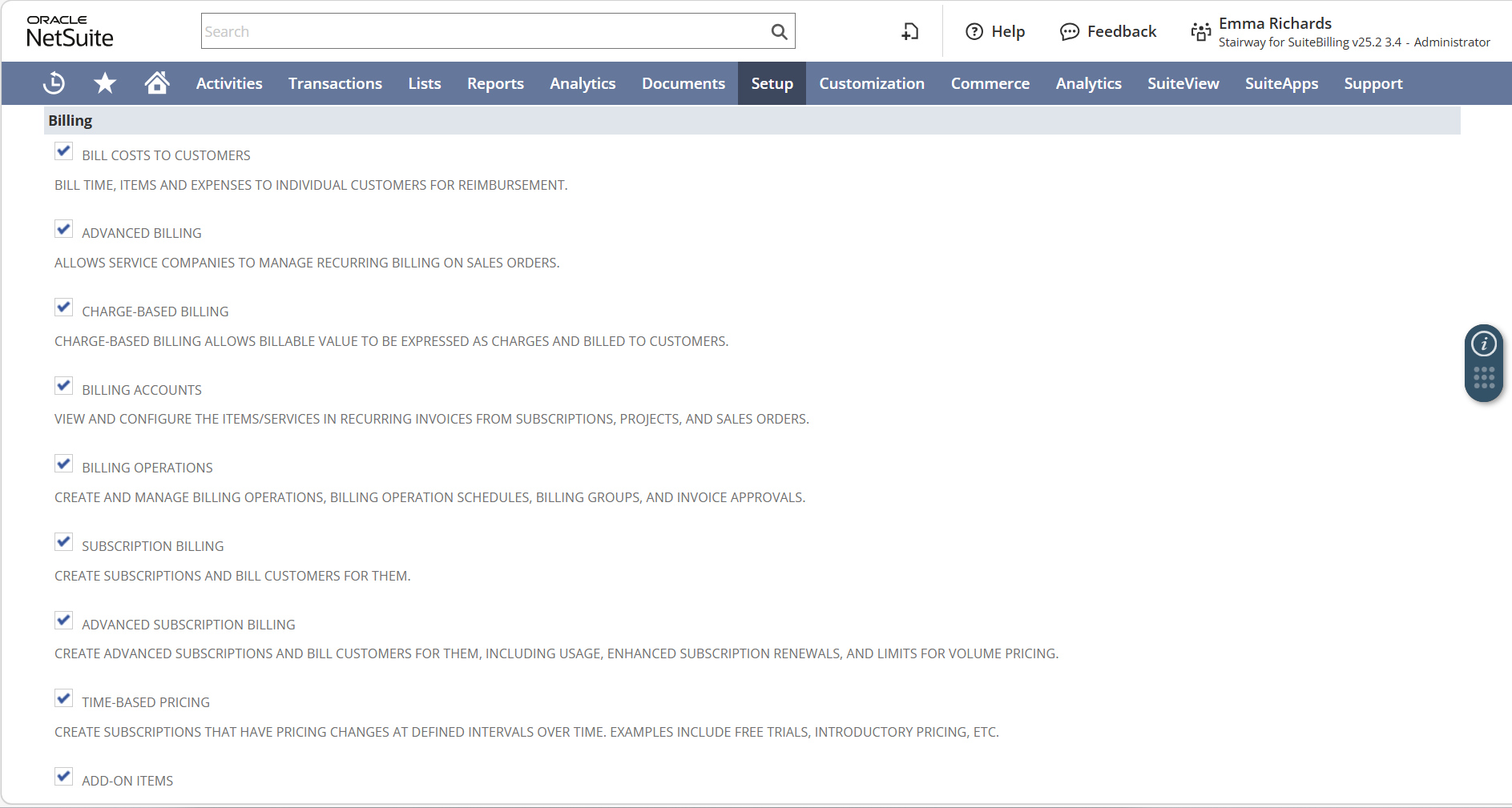
Once enabled, NetSuite shifts from transaction-based recurring billing to subscription-based billing. The subscription record becomes the anchor for pricing, contract terms, billing frequency, and renewal behavior. Rather than managing recurring invoices individually, organizations manage the subscription itself, allowing the system to generate billing activity automatically based on the configuration defined within the subscription structure.
The Core Structure Behind SuiteBilling
At the core of SuiteBilling is a set of interconnected records that define how subscription billing behaves within the system.
- Subscription Plan – defines billing frequency, renewal logic, and associated items.
- Price Book and Price Plan – determine pricing behavior, including fixed pricing, tiered models, or usage-based billing.
- Subscription Record – captures the customer-specific agreement including term, quantity, and pricing configuration.
- Billing Account – controls invoicing preferences and billing schedule behavior.
- Charge Records – represent billable amounts generated from subscription activity.
- Billing Operations – converts rated charges into finalized invoices.
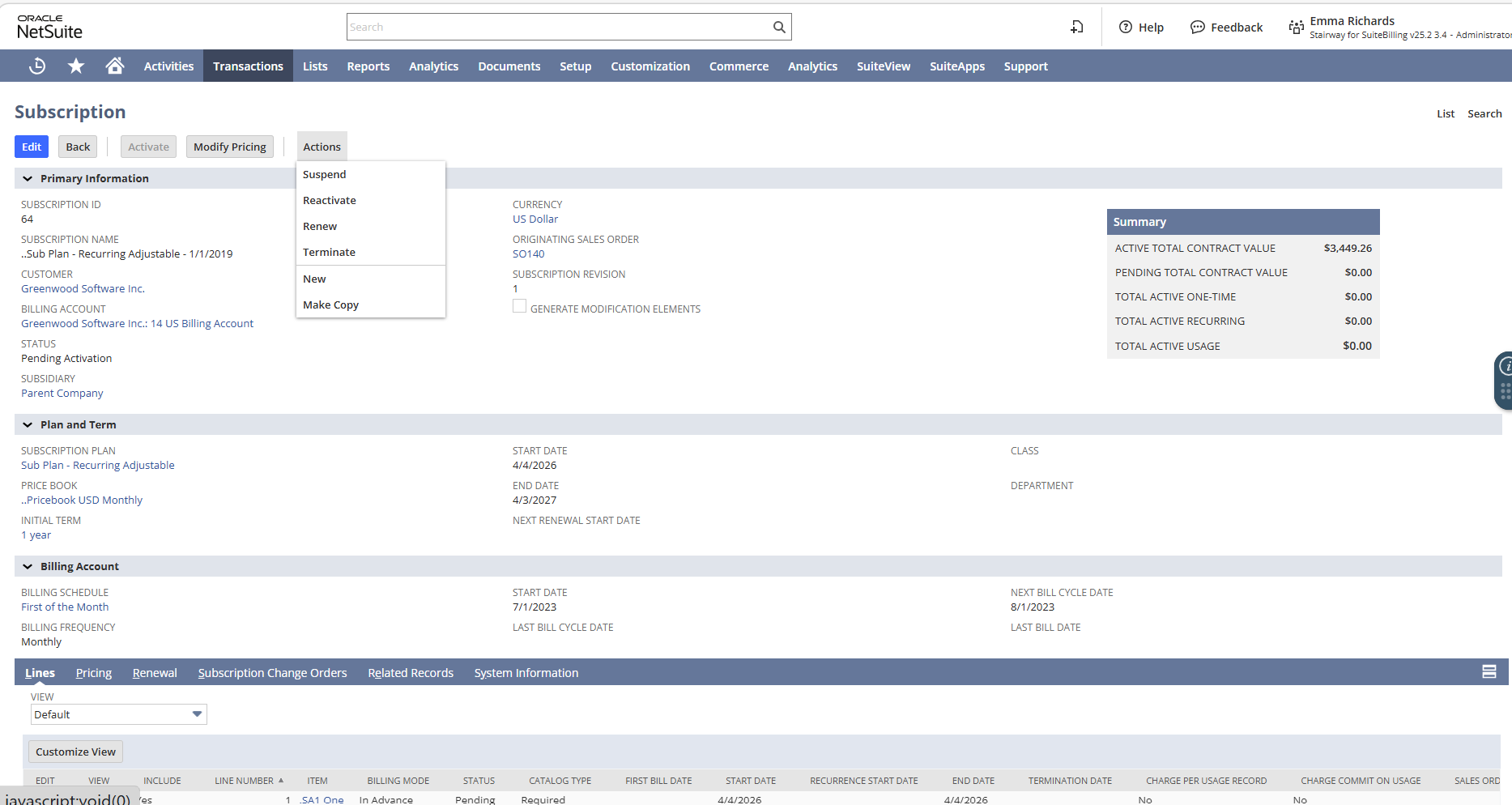
When managing multiple customers with similar subscription structures, users can duplicate subscription and billing account records. This reduces repetitive configuration and helps maintain consistency across contracts while preserving the pricing and billing logic already defined.
Because pricing, quantities, and billing schedules are tied directly to the subscription structure, billing activity follows the configuration already defined in the system rather than requiring repeated manual setup.
From Charge Generation to Invoice Creation
Once a subscription is active, the system generates charges based on its pricing configuration and processes them through Billing Operations:
Transactions → Billing → Run Billing Operations
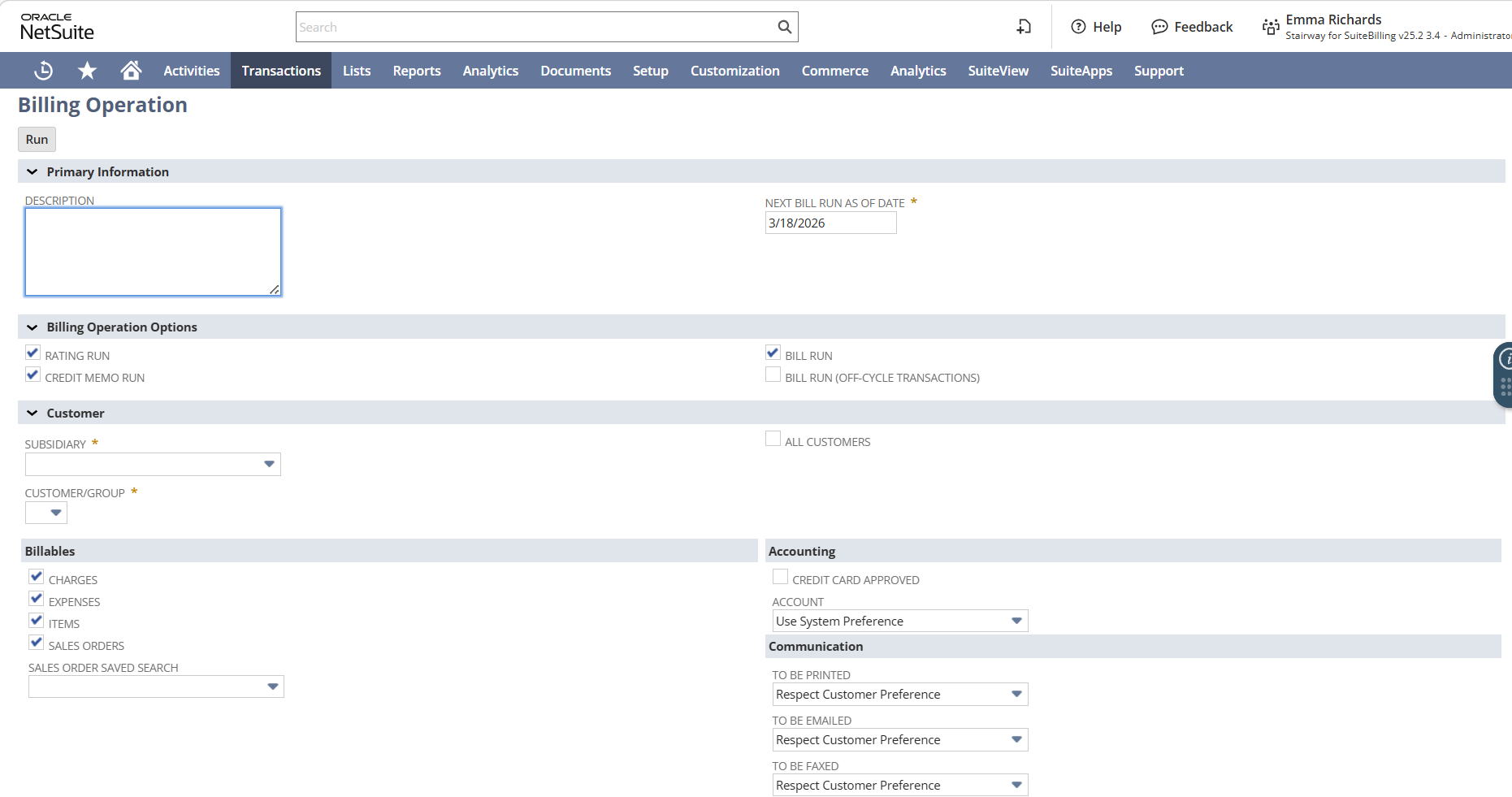
SuiteBilling separates charge calculation from invoice creation. This separation creates a natural checkpoint where rated charges can be reviewed before invoices are finalized. Reviewing charges helps identify quantity changes, pricing adjustments, or proration impacts before invoices reach the customer.
These billing models support both traditional subscription pricing and consumption-based services, where usage data is captured and rated against predefined pricing tiers during the billing process. Organizations can also implement commit-based pricing models, where customers agree to a minimum level of usage or quantity and any consumption beyond that commitment is automatically billed as overage.
Managing Subscription Changes with Precision
Subscriptions rarely remain static. Customers upgrade plans, adjust quantities, renew agreements, or temporarily pause services. The challenge is ensuring that billing and revenue remain aligned as those changes occur.
SuiteBilling manages these lifecycle events through structured change orders, each tied to an effective date that governs how billing and proration should be applied.
Common change order types include:
- Activation – activates a subscription and begins billing.
- Modify Pricing – adjusts quantities, pricing, or tiers during an active subscription.
- Renewal – extends the subscription term for another billing period.
- Suspension – temporarily pauses billing activity.
- Termination – ends the subscription and stops future billing.
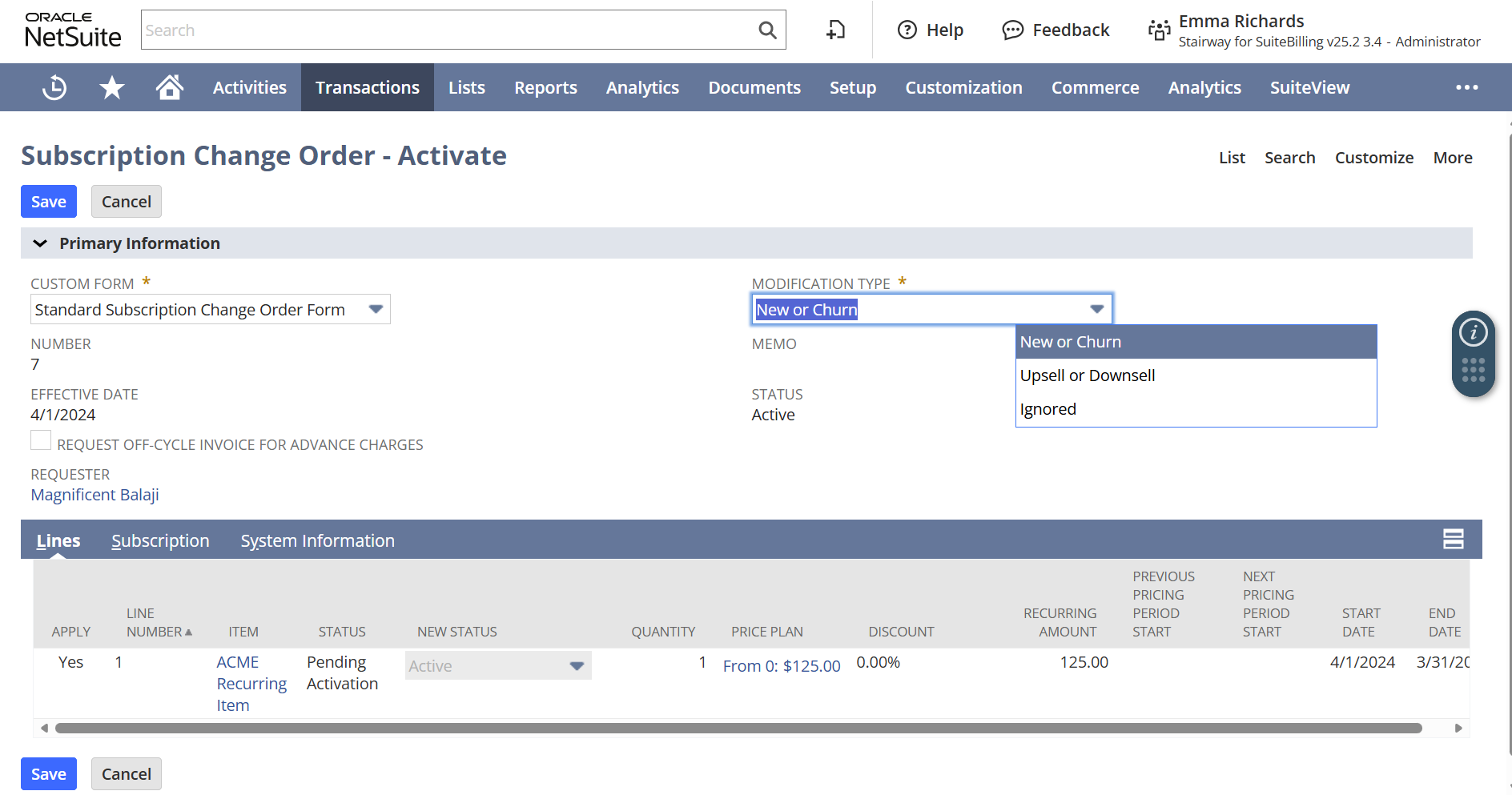
Subscriptions rarely remain static. Customers upgrade plans, adjust quantities, renew agreements, or temporarily pause services. The challenge is ensuring that billing and revenue remain aligned as those changes occur.
SuiteBilling manages these lifecycle events through structured change orders, each tied to an effective date that governs how billing and proration should be applied.
Common change order types include:
- Activation – activates a subscription and begins billing.
- Modify Pricing – adjusts quantities, pricing, or tiers during an active subscription.
- Renewal – extends the subscription term for another billing period.
- Suspension – temporarily pauses billing activity.
- Termination – ends the subscription and stops future billing.
Operational Practices That Preserve Stability
For organizations already operating SuiteBilling, long-term stability is sustained through consistent operational discipline rather than major redesign.
- Double-check change order effective dates, as even minor discrepancies can affect proration.
- Review rated charges before running billing to confirm quantity and pricing behavior.
- Use structured change orders instead of editing subscription lines directly.
- Periodically review price tiers to eliminate unused or overlapping logic.
- After renewals, confirm quantities and pricing reflect the intended agreement.
- Monitor recurring manual credits, which often signal a configuration issue worth addressing at the source.
Built-in subscription metrics also provide finance teams with clearer visibility into churn, expansion, and recurring revenue trends without relying on manual reporting.
As subscription businesses scale, maintaining this level of operational discipline becomes essential for preserving billing accuracy and financial alignment.
How TAC Can Help
Effective SuiteBilling implementations begin with a clear understanding of the commercial structure behind a subscription business. Contract terms must translate cleanly into subscription logic, pricing models must align with system configuration, and lifecycle events must be validated before production release.
TAC works closely with clients to design subscription frameworks that support both operational billing needs and financial reporting requirements. When subscription design and billing execution are aligned from the outset, recurring revenue operations remain predictable and scalable.
If your organization is evaluating SuiteBilling, reviewing an existing implementation, or looking to improve billing operations, the TAC team would be glad to help you assess and optimize your subscription billing framework.


